Skip to content
usdtap

From Pix to USDT, straight to your wallet.

usdtap is an account in Brazilian reais for individuals and companies. You deposit by Pix, Brazil's instant payment system, convert your balance to USDT and send it to your own wallet.

USDT is a cryptocurrency. Its price in reais changes over time.

Already have an account? Sign in

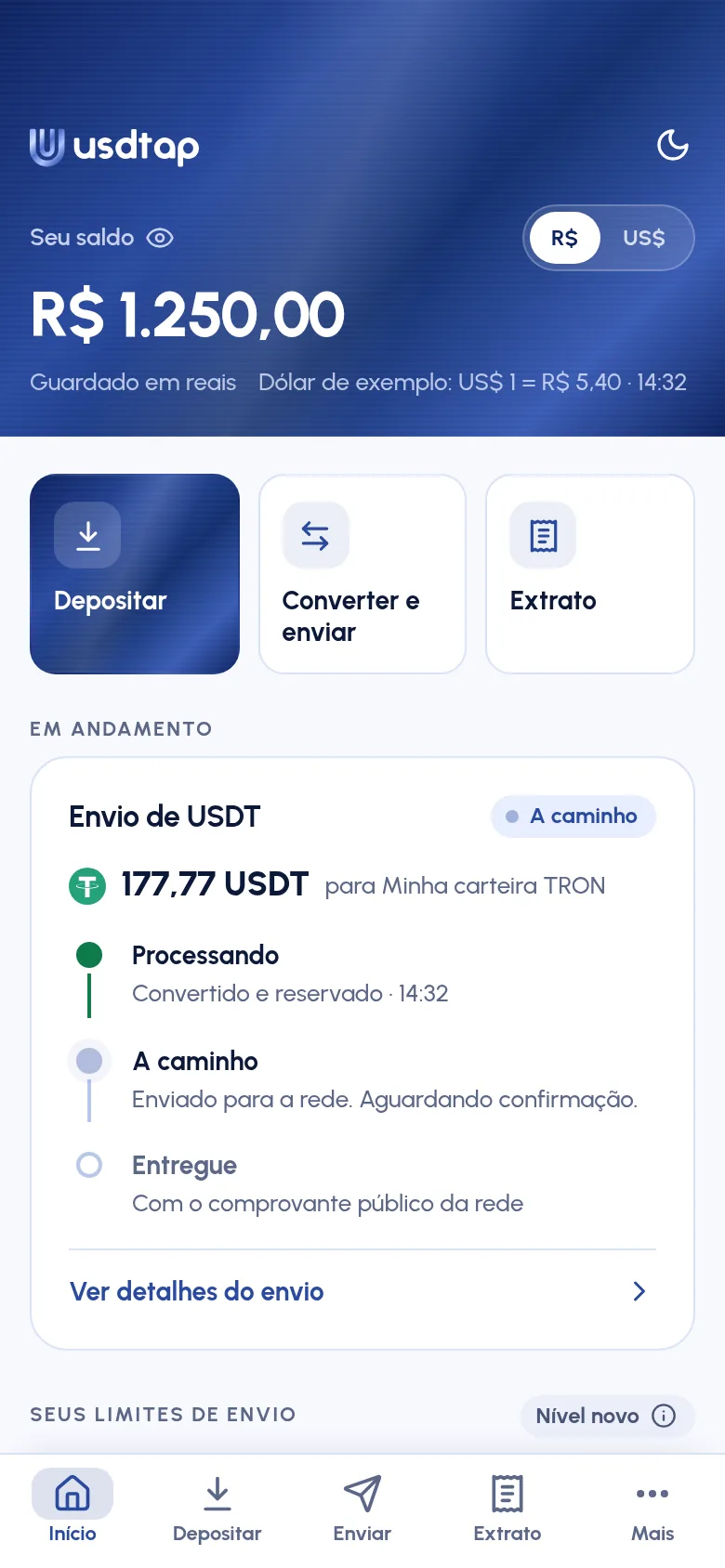
Home screen of the usdtap app: a balance of R$ 1,250.00 held in reais, the Deposit, Convert and send and Statement shortcuts, and a 177.77 USDT transfer on its way to the wallet.
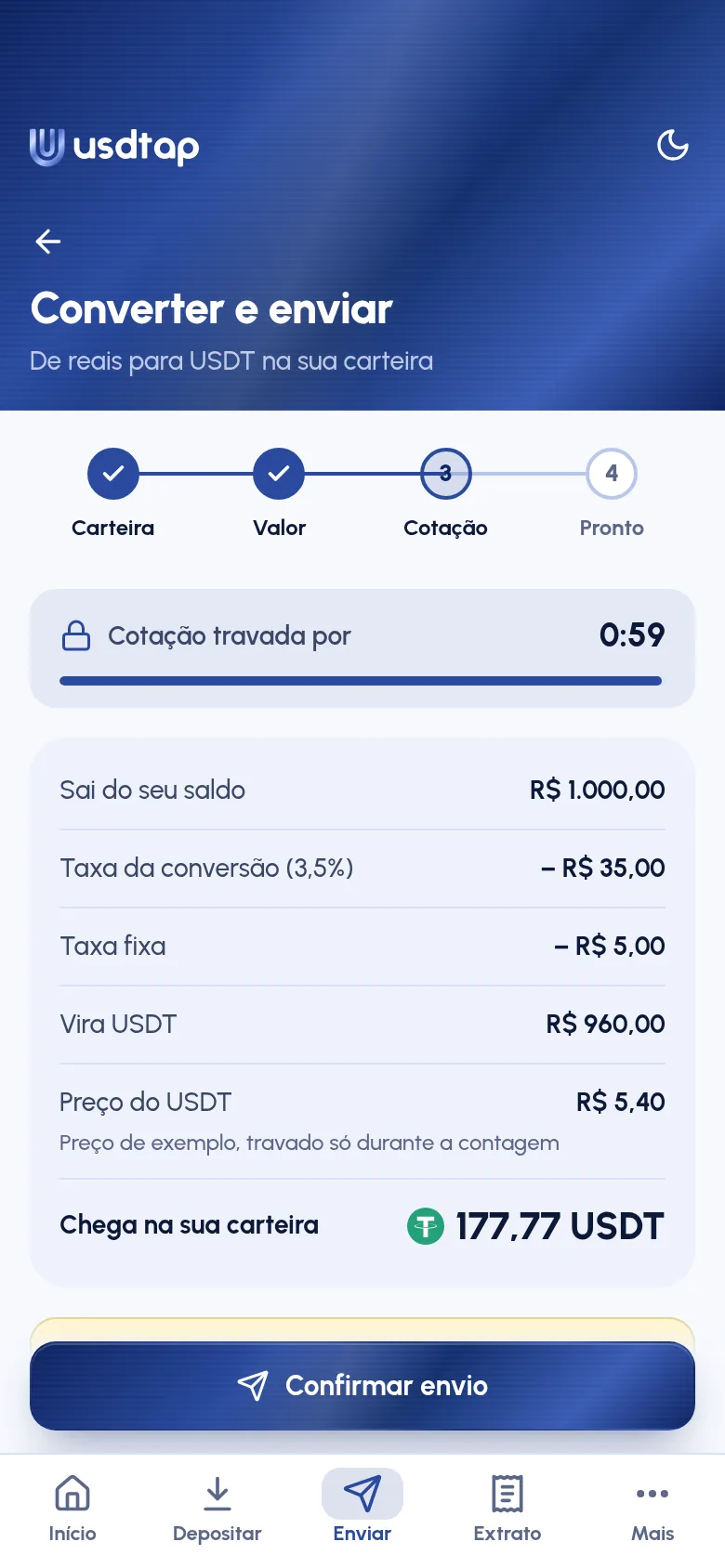
Convert and send screen, before confirming: the rate locked for 0:59, the fees, the USDT price and how much reaches the wallet, 177.77 USDT.
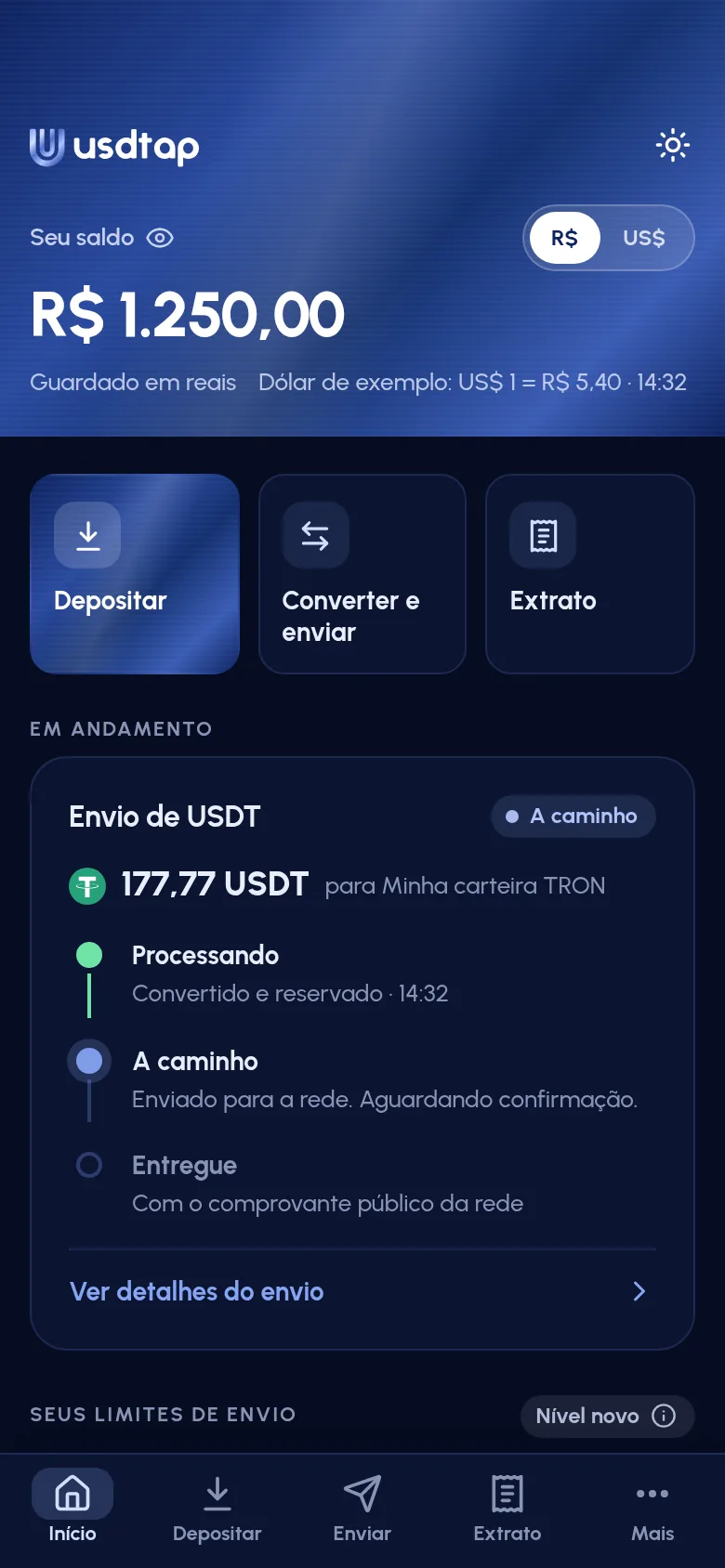
The same home screen, in the app's dark theme.
Screens from the usdtap app, with sample values.

USDT (Tether) on the networks TRON, Ethereum and BNB Smart Chain

How it works

Three steps, from Pix to your wallet

You start with reais and Pix. To receive the USDT, you need a wallet of your own.

  1. Deposit by Pix

    Send a Pix from a Brazilian bank account under the same CPF or CNPJ (Brazilian taxpayer IDs for individuals and companies) as your usdtap account.

    • From the same CPF or CNPJ as the accountBecomes balance in reais, minus the deposit fee
    • From someone elseSent back
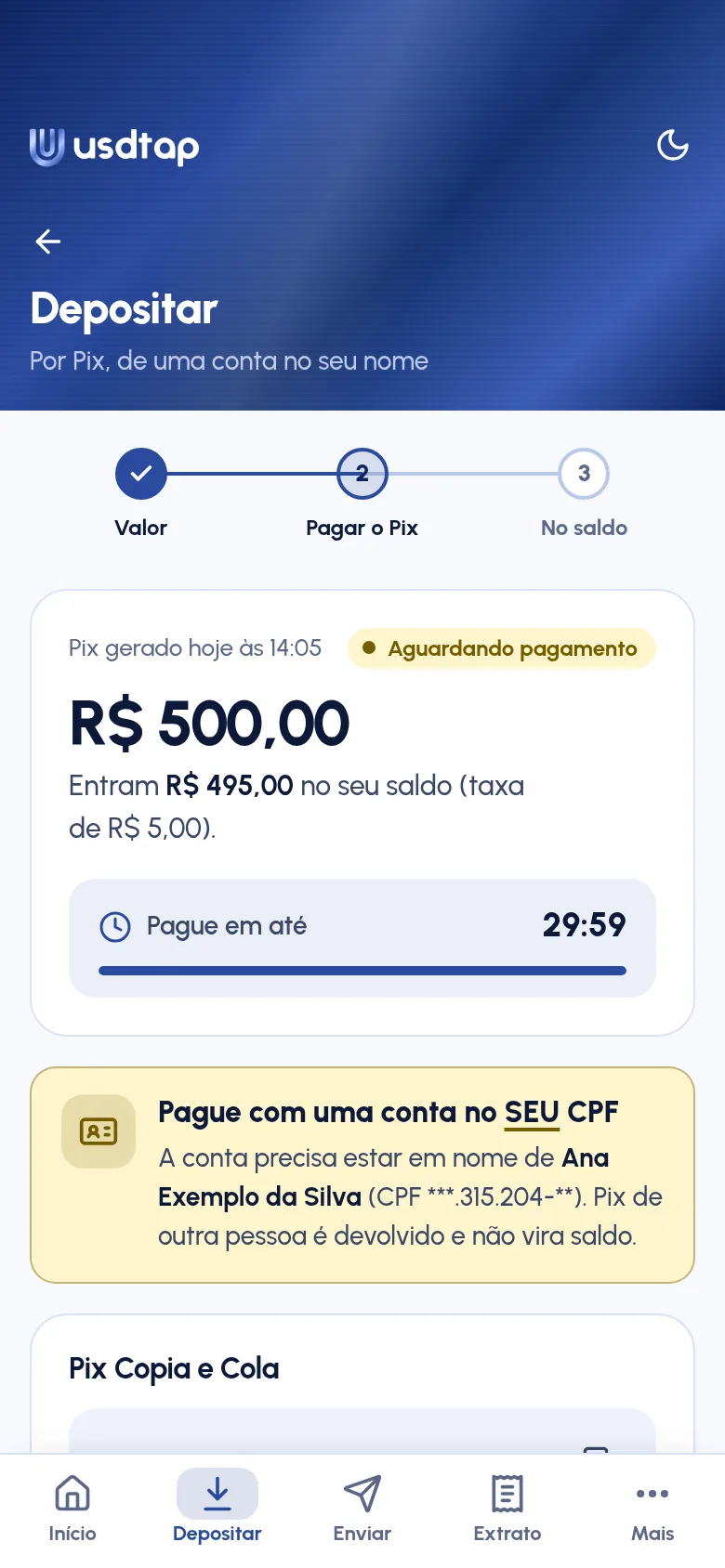
    Deposit screen: a R$ 500.00 Pix awaiting payment, with how much goes into the balance after the fee and a reminder to pay from an account under your CPF.
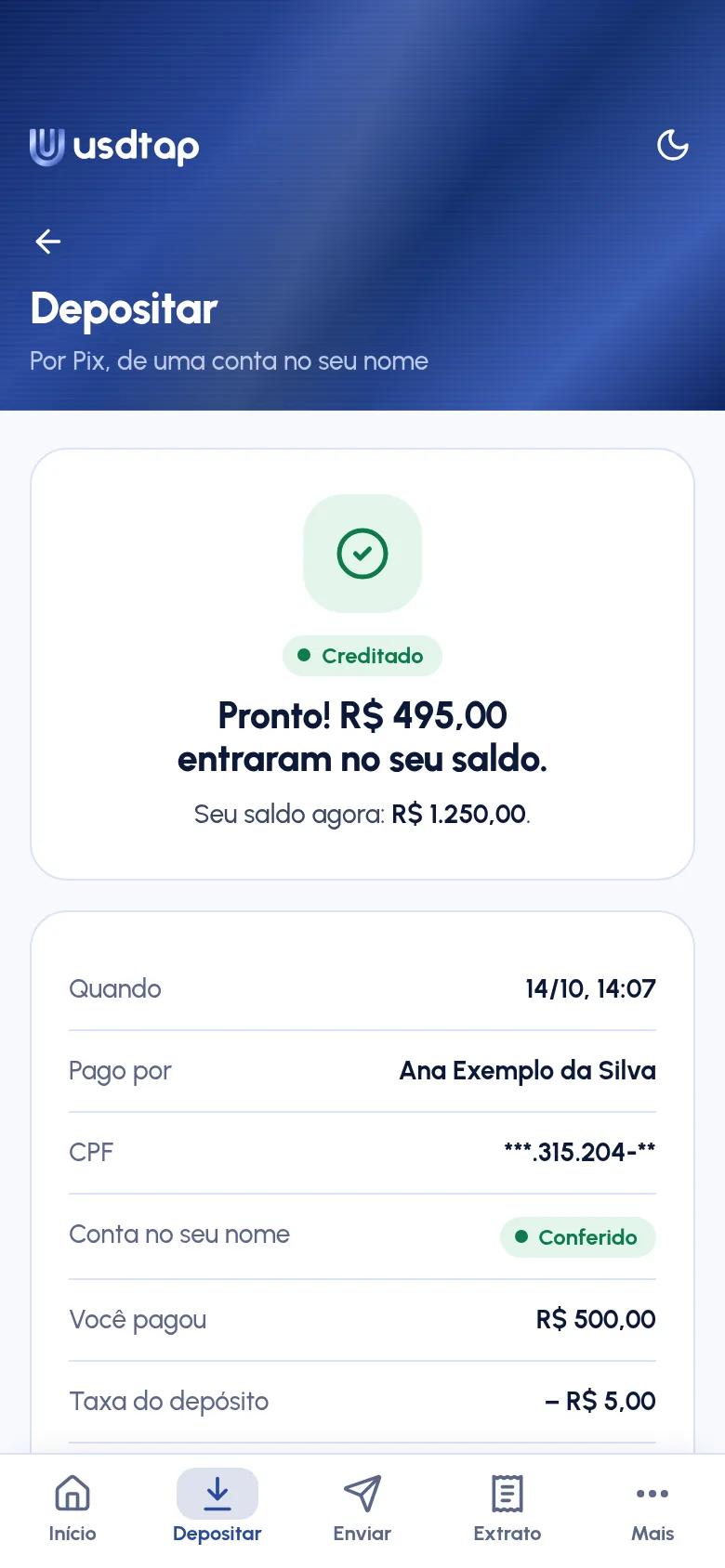
    Deposit credited screen: R$ 495.00 added to the balance, with who paid, the account verified in your name and the deposit fee.
  2. Convert and send

    Your balance stays in reais. If you like, you can see it in US dollars at the current rate, just for reference. When you send, you convert the amount to USDT.

    See your balance inR$ or US$

    Convert and send screen, before confirming: the rate locked for 0:59, the fees, the USDT price and how much reaches the wallet, 177.77 USDT.
    Home screen: the balance in reais, with the option to view it in R$ or US$.
  3. Receive in your wallet

    The USDT goes to your own wallet, on the network you choose: TRON, Ethereum or BNB Smart Chain (BSC).

    Choose the same network as your wallet. Once confirmed, a transfer can't be undone: with a wrong address or network, the USDT is lost.

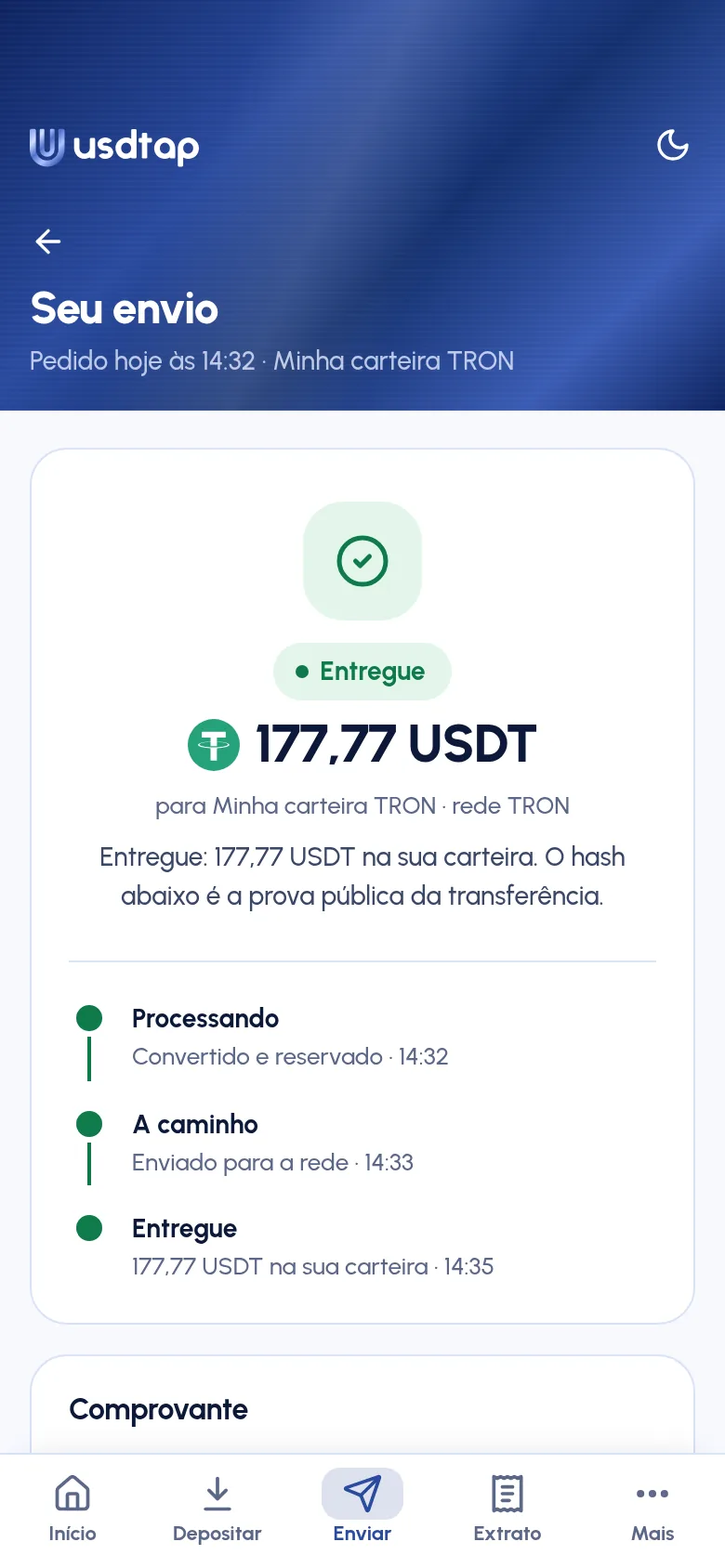
    Transfer delivered screen: 177.77 USDT in the wallet, over the TRON network, with the steps processing, on the way and delivered.
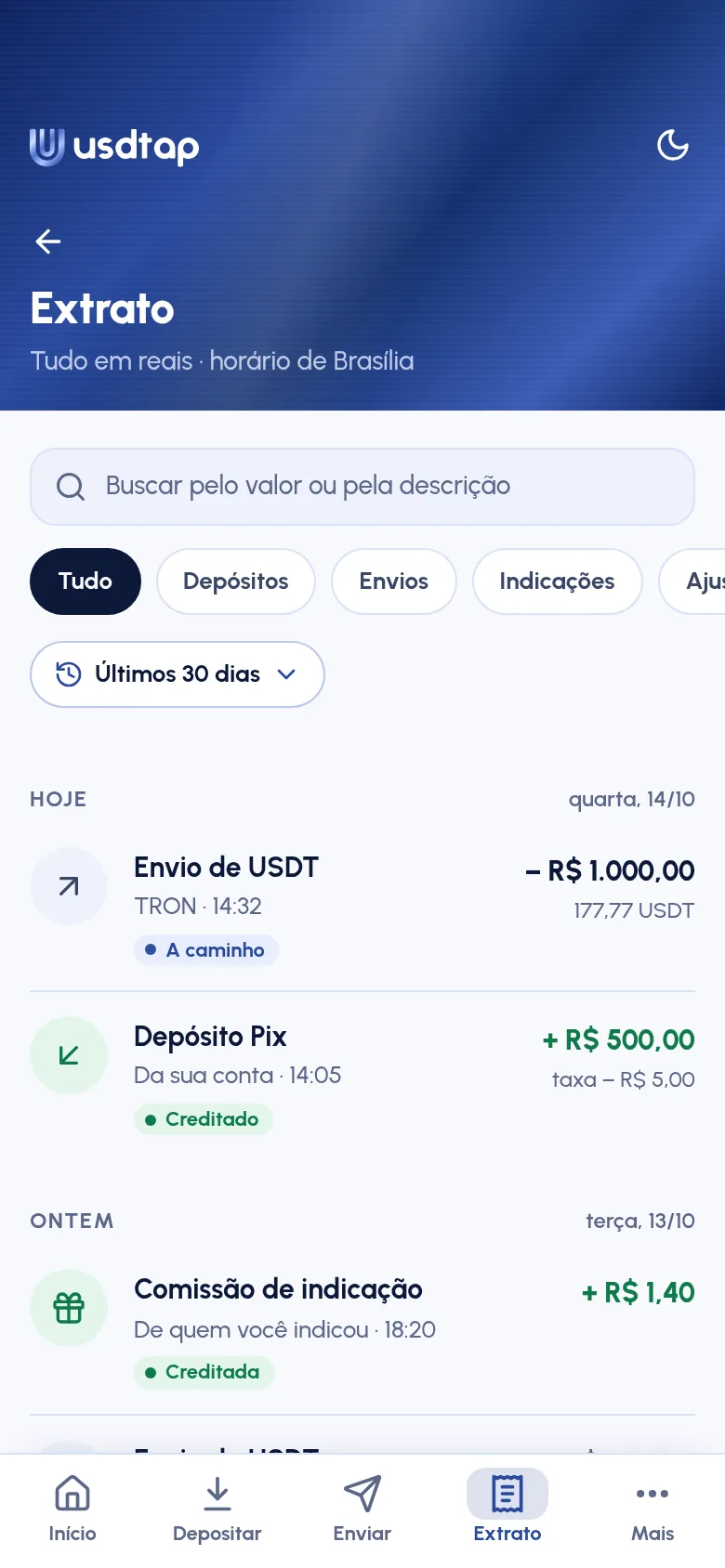
    Statement screen: the USDT transfer, the Pix deposit and the referral commission, all in reais and in Brasília time.

The screens show the app with sample values.

New words, one line each

Wallet
The place, outside usdtap, where you keep your USDT. It has an address, a code that receives transfers.
Network
The route your USDT travels on: TRON, Ethereum or BSC.
Rate
The USDT price in reais used for your transfer. It stays fixed for only a few seconds.
Blockchain
The public record of each network's transfers.
Transaction hash
The unique code of each transfer. With it, anyone can check the transfer.

Account rules

From sign-up to transfer

The essentials, in a few lines. The full terms are in the agreement, which you read and accept when you sign up.

Before you confirm, you see the rate, the fee and how much arrives

  • The rate, lockedThe price stays fixed for only a few seconds.
  • The feeThe transfer fee is shown on screen before you confirm (deposits have their own fee, shown before the Pix is generated).
  • How much reaches your walletThe amount of USDT that goes to your address.

The USDT price in reais varies. That's why you check the rate on screen before you confirm.

New wallet, confirmed twice

A new wallet only works after it's confirmed with the code sent by e-mail and with two-step verification. Check the address carefully: a confirmed transfer can't be undone.

Public proof of every transfer

Every transfer comes with its transaction hash and a link to the block explorer, the public website where anyone can check the transfer.

Receipt example
Crypto
USDT
Network
TRON
To
Your wallet
Hash
7c2e…b41d

Anyone can check the transfer by its hash on the block explorer.

ID and agreement at sign-up

To open an account, as an individual or a company, you go through ID verification and accept the agreement.

Refer & Earn

When you refer someone, you earn a share of the fees they pay.

  1. You refer someone
  2. They use usdtap
  3. You get a share of the fees they pay

The terms are in the agreement.

Questions

Frequently asked questions

Still have a question? Write to [email protected].

What is USDT?

USDT, also called Tether, is a cryptocurrency. Its price in reais changes over time. That's why the screen shows the rate before you confirm.

  • USDT (Tether)
I've never used crypto. Can I use usdtap?

You deposit reais by Pix and see the deposit fee before the Pix is generated. Before you confirm a transfer, the screen shows the rate, the transfer fee and how much reaches your wallet. You need a wallet of your own, and you choose the same network it uses. Check the address and the network: once confirmed, a transfer can't be undone.

Which network should I choose?

The same one your wallet uses. usdtap sends on the TRON, Ethereum and BNB Smart Chain (BSC) networks.

  • TRON
  • Ethereum
  • BNB Smart Chain (BSC)
Can I deposit from someone else's account?

No. The Pix must come from the same CPF or CNPJ as your usdtap account. If it comes from someone else, it's sent back.

  • Pix from the same CPF or CNPJ
How do I see the fees?

There are two fees: one for the Pix deposit and one for the transfer. The deposit fee is shown before you generate the Pix, with how much goes into your balance. The transfer fee is shown before you confirm, along with the rate and how much reaches your wallet. The full terms are in the agreement, which you read and accept when you sign up.

How do I know the transfer went through?

Every transfer has a transaction hash, its unique code, with a link to the block explorer. There you can check the transfer on the blockchain.

How do I open an account?

Click Create account, enter your details (as an individual or a company), send a photo of your ID and a selfie (for a company account, the selfie is of the legal representative, and you also send the articles of incorporation) and accept the agreement. Once you're approved, you can deposit by Pix.

What's next

Card and Bitcoin

  • usdtap Card

    A card with the usdtap brand.

  • Bitcoin

    Bitcoin transfers to your wallet. For now, usdtap sends only USDT.

No date yet.

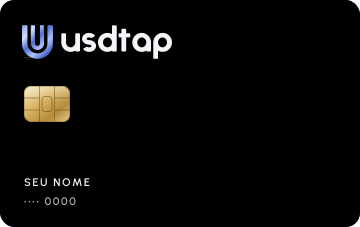
Illustration of the navy blue usdtap card. Coming soon.

Open your usdtap account

For individuals and companies with a CPF or CNPJ and a Brazilian bank account. You go through ID verification and accept the agreement at sign-up.